
anh’s notes from reading Web Design for Dummies (2nd Edition) by Lisa Lopuck, former Associate Creative Director and Senior Producer at Disney:
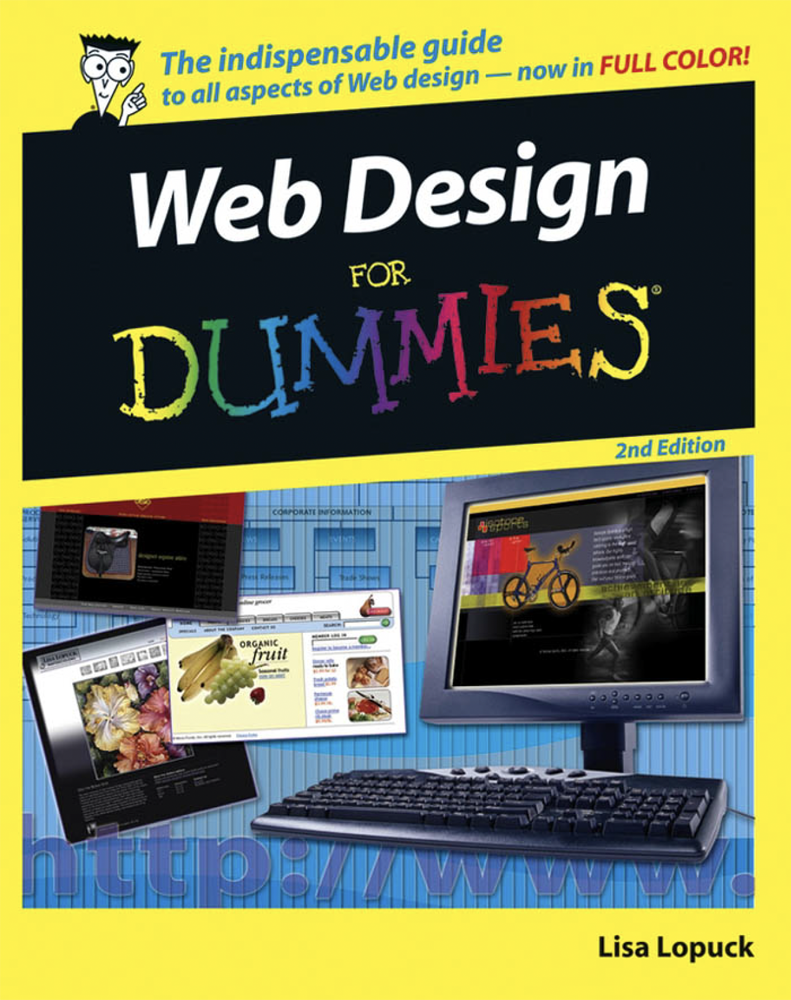

Reflecting on my experience, I have “designed” some interfaces of website, messed with website builders, and follow Prof. Wolverton coding lessons. For the past three decades since the concept of “The World Wide Web” by Sir Tim Berners-Lee publicized, websites has become a norm for business existing as their digital office to increase their service visibility to a larger audience. As a consumer and a student learning website design, I feel like I am used to see how professional and beautiful a website laid out that I have taken for granted the effort behind it, beyond bold texts and cool landing page. This invitably led me to last-minute procastination to working on this class. Therefore, it’s important for me to learn how to approach and think as a website designer: systematically with preparation while utilizing my expertise in design.
Web design is not just about creating a single Web page that looks pretty. […] design a whole collection of pretty pages that also link together in a way that makes sense to the user.
Lopuck, 9
Although most of my peer doesn’t fancy having to code their website design, I find using website builders tools like Adobe Portfolio and WordPress, helped me appreciate the great potential of website design, especially the interactiveness, OCD organization, and accessibility. In the book, Lopuck talked about understanding the piece of technoligies you are dealing with, and always thinking about how you connect every page in website together, to build a effective site. It encourage a high level of pre-producation (as perfect as possible from the image size to user-friendly site map), side-by-side prototypying with desktop, tablet, and mobile, and focusing on the big picture (style tile) and templates over trying to fix the spacing. For a designer, effectiveness and lots of learning are keys to build a successful web design.
Maybe not that much learning, Lopuck also pointed that designers “simply need to understand enough about the entire process from start to finish, and the role that every team member plays, to enable you to focus on the fun stuff — design“. At the same time, not knowing the process and jumping right to your design will results in uneccessary frustration and major time wasted on technical difficulties.
You have, at most, about 3 to 4 seconds to get your main message across with words and graphics to hook your visitor. If visitors don’t get it, they’re off to the competition. After all, it’s just as convenient to type their URL as it is to type yours.
Lopuck, 15
So, what makes a sucessful website? It involves these team of people, intersection of 8 fields’ expertise:
- Business Folks: (a) to set the goals for the site that fits the customer’s needs and achieves business objectives; (b) for marketing folks, to get the eyeballs by figure out how to steer web surfers to your site, with search engine optimization (SEO), partnerships, and camapaign strategy.
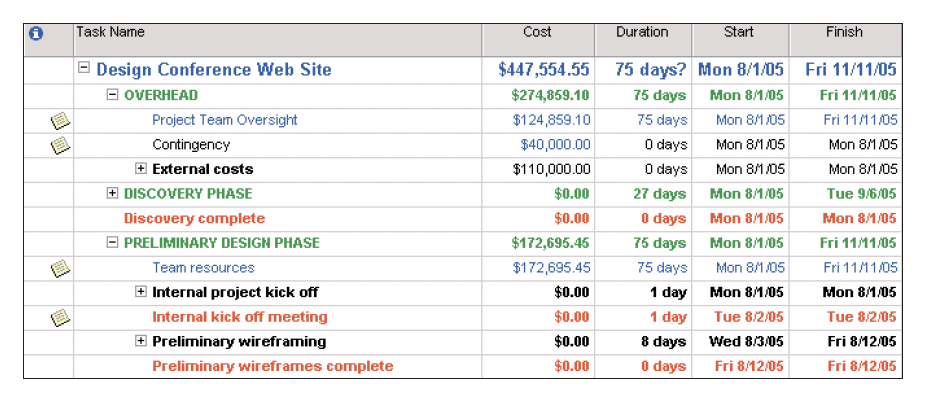
- Producer Folks: to set and manage client expectations so the project stays on track, involving time management, budget planning, leadership, and clear communication of the client and individual team members through each phase of development (to manage scope creep1)
- Visual Designers: to be in charge of the appearance of the site, including the site’s structure, navigation, user interface design prioritizing flexibility, accessibility, practicality, and comprehensiveness. Beautifully easy to use, update, and navigate.
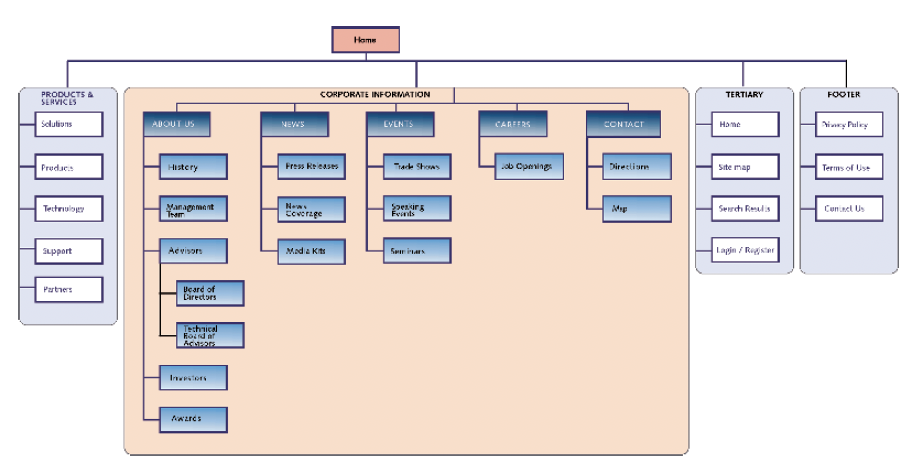
- Information Architects: to design a site map2 diagram, by sitting down and figuring out how the whole site fits together and how people will navigate from one page to the next.
- Content Designers: to be in charge of all the text of the site, possibly as much copy as a magazine, by content strategist3 and copywriter (who writes the text). Convey the most impact in the least amount of space.
- Media specialists: to complete the website with a splash of video, Flash4, or audio media, dealing with specialized media formats and compression schemes
- HTML slingers: to assemble Web pages in HTML (HyperText Markup Language). Being able to use HTML well involves a lot of creativity5.
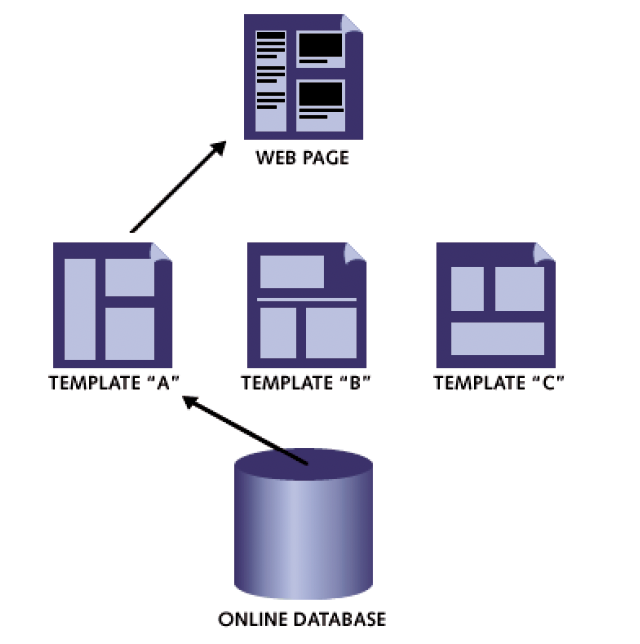
- Programmers: to turbo boost the website by building Web pages templates and quickly use them to build a Web site consisting of hundreds of pages. They create the website’s online database6 for those templates and all the information.
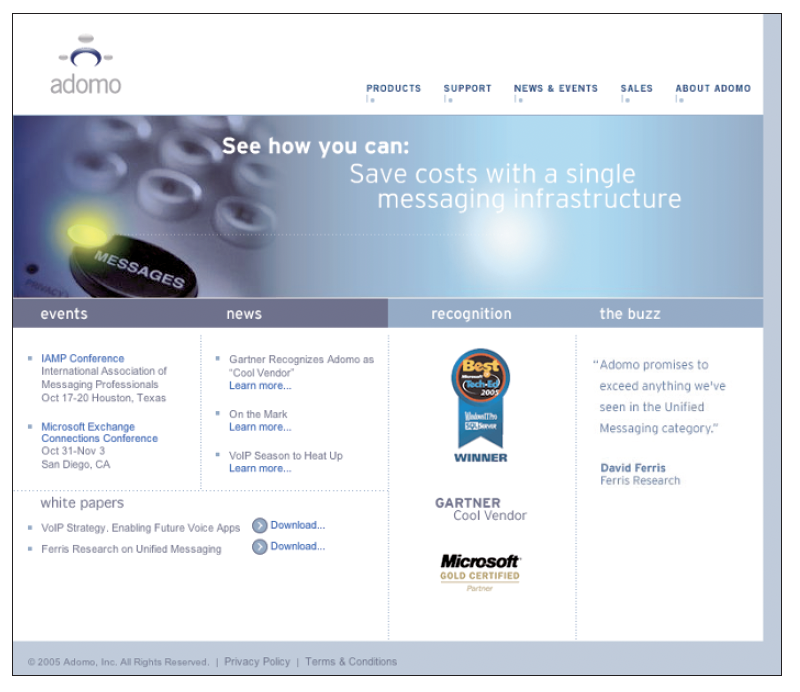
What a masterful work of art, business, and effeciency! Don’t lose your hope because of the unfamiliarity of coding for your website design or eyeing on fancy portfolio you found on YouTube that looks impossible. It is a smart thing to work on. So, if you take the time to learn about it, the results will be the most satisfying design you ever worked on. good luck, amigo! (at the same time, you can always re-route your gained skills and knowledge to make a rick-roll website)
- Features and functions that you did not plan for have an uncanny ability to find their way into the design. Either project team members are trying to prove themselves by gold-plating their contributions, or clients are scrutinizing the site and suggesting way too many changes. In either case, constant noodling can add up to more time and money than you had planned, so either plan for it, or catch it and stop it before it happens. ↩︎
- A diagram that shows all the main sections of the site, involving dives into the page-level detail and creates a series of wireframe diagrams, show the content and navigational elements that go on each major page of the site. Between the site map and the wireframe diagrams drawn for each page, the Information Architect, in effect, builds the blueprints for the entire site. ↩︎
- The person who identifies the chunks of copy needed for each page — for example, headlines, bullet lists, and descriptions — and the rules for each, such as character limits and word counts. ↩︎
- Flash is a software application that can create highly interactive, game-like applications and animation (look for Flash at www.macromedia.com) ↩︎
- Coding for different browsers to interpret your page layout. Workaround browser incompatibilities while maximizing a page’s download performance. ↩︎
- An online database populates the template with different information to create each new page. In addition to coding the template Web pages with techie software development packages like the scripting language PHP (Hypertext Preprocessor — go figure), ASP (Active Server Pages), and ColdFusion, programmers also create the online databases that house all the information. ↩︎
Leave a Reply